






Latest Version
Microsoft Corporation
Lifestyle
Windows
Free
9n318r854rhh
Report a Problem
More About Microsoft Journal
A Natural Canvas for Your Digital Ink
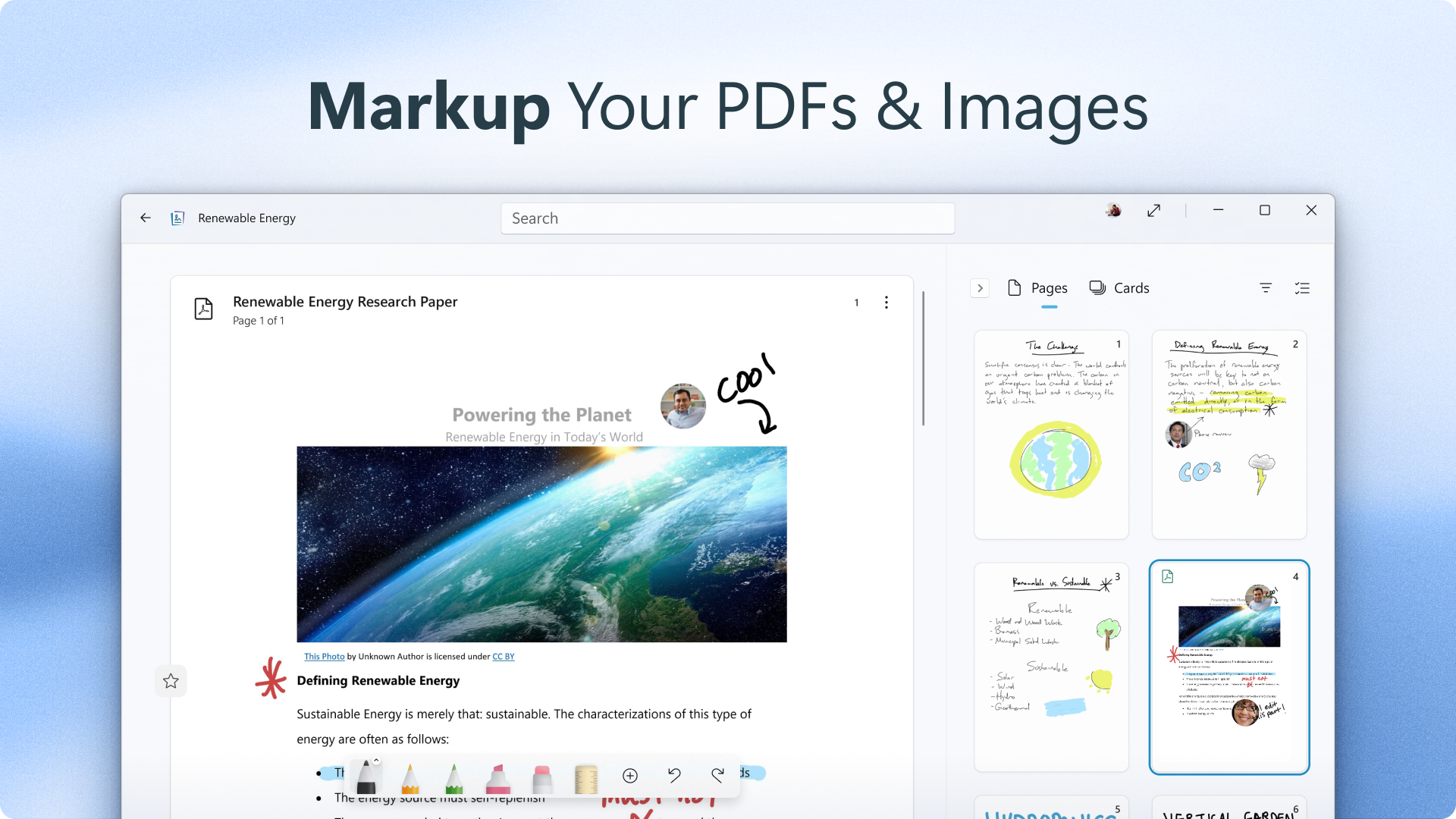
Imagine sitting down with a blank piece of paper, a pen in hand, and the freedom to let your thoughts flow without the constraints of a traditional keyboard. That is the exact experience Microsoft Journal digital ink app replicates on your Windows device. Designed specifically for those who think best through handwriting, sketching, and freeform annotation, this application redefines how we interact with our screens. By prioritizing a pen-first interface, it bridges the gap between tactile notebook journaling and modern digital convenience.
How the Microsoft Journal Digital Ink App Enhances Creativity
Unlike standard note-taking software that treats handwriting as an afterthought, this platform is built entirely around the fluid dynamics of a digital pen. It recognizes that the physical act of writing aids memory retention and sparks cognitive connections that typing simply cannot match. Whether you are mapping out a complex project, sketching design concepts, or annotating documents, the canvas responds instantly to your touch, making the entire creative process feel incredibly intuitive.
Key Features and Connected Experiences
- Intelligent Ink Gestures: Erase or select your writing naturally without needing to constantly toggle toolbar buttons.
- AI-Powered Search: Easily locate your handwritten notes, diagrams, and specific words across your journals using advanced search capabilities.
- Seamless Ecosystem Integration: Connect your ink and ideas across other applications to keep your workflow moving, with enhanced features available for Microsoft 365 subscribers.
- Structured Organization: Keep disparate ideas connected in organized digital journals that mimic the feel of physical notebooks.
Who is This App For?
This software is a perfect match for students, designers, strategists, and anyone who thrives on visual thinking. If your daily workflow involves brainstorming sessions, rapid prototyping, or detailed schematics, the Microsoft Journal digital ink app offers a clean, distraction-free environment to develop your concepts. It is tailored for Windows users who want to unlock the full potential of their stylus-enabled devices.
Start Evolving Your Ideas
If you are ready to transition from rigid typing to a more expressive, natural way of working, this tool offers an exceptional playground for your thoughts. To experience this fluid interface for yourself, head over to the official Microsoft Store page to check out the app on your Windows device.
Rate the App
User Reviews








Popular Apps










Editor's Choice